Get more than you expect from a backup program


| Newsletters |
 Sign me up
|


|
How to activate SmartSync Pro? |
Top Previous Next |
|
When you receive your license key you must enter it into the program. To enter your license key, please perform the following steps:
1.Download the latest version of SmartSync Pro from https://www.smartsync.com/downloads/ 2.Install SmartSync Pro. 3.Run SmartSync Pro.
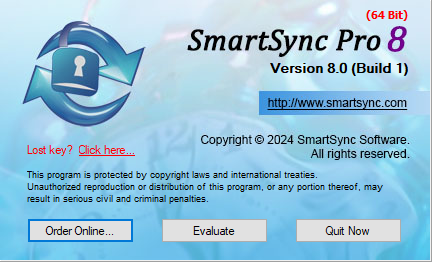
If you will see the following dialog:
•Click Evaluate button. •Main window will open. •Choose Menu Help, option Registration.
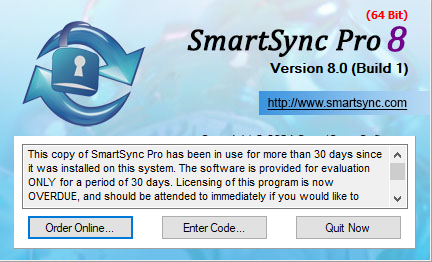
If you will see the following dialog:
•Click Enter Code... button.
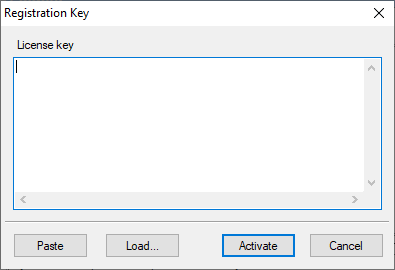
•The Registration Key dialog will open:
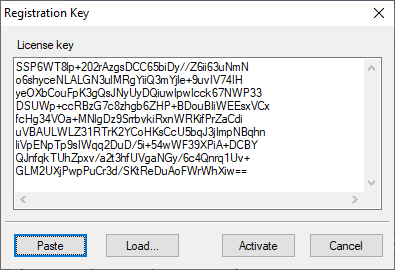
•Switch to your email client and find the email with the registration information. •Right-click the message to display the popup menu. Select the Select All command there. The menu will disappear, and the message will change its color (become selected). Then display the popup menu again and select the Copy command. •Switch to SmartSync Pro. If the registration code has not appeared in the edit box automatically then press the Paste button:
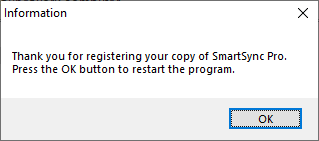
•After the license key has entered, press the Activate button. •SmartSync Pro will prompt you to restart the program. Press the OK button:
•If your data was entered correctly, SmartSync Pro will now be registered to the code you entered and your name will be displayed in the About box. •You are now the lawful owner of the program.
Note Be sure to save your registration information in a safe place. You will need it again if you reinstall Windows. Better safe than sorry.
Note Don't give your registration information to others. Please review the License Agreement for details.
| |
| SmartSync Pro Help Contents | |