Get more than you expect from a backup program


| Newsletters |
 Sign me up
|


|
Server |
Top Previous Next |
|
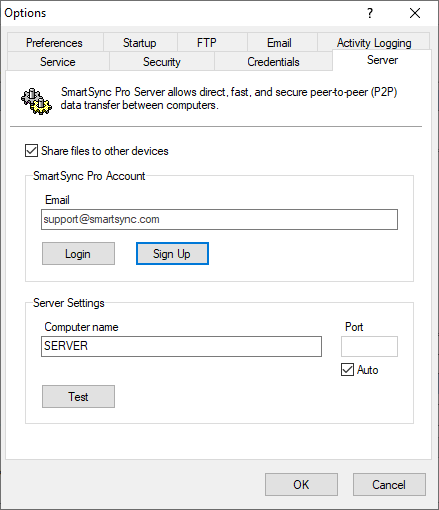
Use the Server page of the Options dialog box to set up your computer as a SmartSync Pro Server. This will allow direct, fast and secure data transfer between computers on a peer-to-peer (P2P) basis.
Login button Click this button to sign in to an existing SmartSync Pro account. If you don't have an account yet, click the Sign Up button.
Sign Up button Click this button to create a new SmartSync Pro account.
Server Settings
Computer Name Enter a computer name. This must be a unique name within your account.
Advanced... Click this button to open the SmartSync Pro server advanced settings dialog.
Test button Click this button to check the entered parameters and test outgoing and incoming connections.
| |
| SmartSync Pro Help Contents | |